Archive

Posts Tagged ‘review’

Jolicloud 1.0 Review and Screenshots

August 6th, 2010

Jolicloud 1.0 was released a few days ago with its long anticipated HTML5 based web-centric interface and many other new features. This release includes other significant improvements such as the new app center with over 700 applications, social stream features integrated into the OS,  a universal filesystem that’s a combination of your setup and online services like box.net, touch screen support for many devices, and you can access your Jolicloud apps from anywhere you sign in from. You can buy a cool Sandisk USB with Jolicloud pre-loaded from our cart or download Jolicloud for free.

Jolicloud 1.0 Screenshots

This was my first time trying Jolicloud because I was not one of the Beta users. Previously it had been rolled out to existing Jolicloud members which I was not one. But now I am, and I’m excited to introduce it to you today as I had a lot of fun playing around with it.

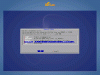
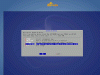
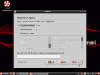
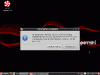
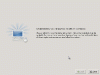
I tried the demo, then noticed a message on the top of the interface stating  I was running the Jolicloud demo and needed to install it.  I clicked on the link and found an installation process that was quick, looked great and was simple to perform. Like most installations I found screens to select language, location, and keyboard layout. Then I marked Use Entire Disk on the Prepare Disk screen, created a user profile, and pressed the Install button on the Installation Summary screen. As I mentioned already, the installation was very quick and was finished in under 30 minutes.

Jolicloud 1.0 Installation Screenshots

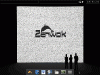
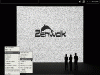
I have to comment on the graphical look and feel that appears throughout Jolicloud 1.0.  I loved the simple logo, dark backgrounds, and bright blues and yellows found on the boot menu, login screen, installation, and throughout the interface. The dark grey background may not appeal to some but overall I liked the appearance and presentation of this distribution.

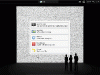
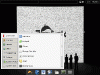
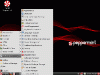
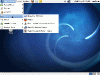
The interface for Jolicloud is completely different than anything I’ve used. However, I was still able to find where everything was and had no problem adjusting to this different style of computing in the little time I used it. Once the system was installed  and I restarted I found a nice set of applications I was familiar with. On this first screen you can see more applications by clicking on the white dots at the bottom, took me a minute to notice that. Along with a large green button for adding applications, you’ll notice several icons across the top including one for applications which should be impressed as that’s the tab you start on, others for the social media stream, filesystem both local and web, and a tab that shows information about your Jolicloud and computer. In the top center users can use the search field to search for applications or social media friends, a really nice touch there! And finally, a shutdown button appears in the top right side of the Jolicloud interface.

Jolicloud 1.0 Interface Screenshots

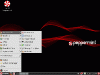
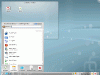
The application setup on Jolicloud 1.0 is another area that surprised me. This is because most of the cloud or web-based distros that I’ve used fall short in this department. I was impressed at the great mixture of Cloud and Native applications found in Jolicloud and I also liked how they appeared together. When you first install and look at Jolicloud 1.0 you’ll find native application Chromium installed along side Facebook, Twitter, Gmail, Google Docs, and a few others. Most users will want to install more applications almost immediately. By clicking that big green Add button in the top left side of the interface you’ll find over 700 applications ready to be installed, both native and cloud. I saw Skype, VLC, Google Reader, Dropbox and a few others on the first page, some great apps to choose from here. The ease at which these applications can be added to Jolicloud can be attributed to this completely new application center which worked very smoothly for me.

Jolicloud Application Screenshots

Although this release is filled great stuff, the one single thing that caught my eye more than anything is the way cutting edge features have been used to improve the users experience. One I’m concerned about is that it’s built on the older Ubuntu 9.04 Jaunty Jackalope which Canonical will no longer support in October because of its age. Definitely worth trying if you have a Netbook-like device.

Here are some screeshots of the Jolicloud 1.0 release:

This Week In Linux (TWIL), one of my favorite Linux news sources, has put out a great Jolicloud Review which I’ve embedded below.

Please leave your comments about Jolicloud 1.0 below


Reviews, Screenshots , ,

OpenSUSE 11.3 Released: Screenshots and Features

July 14th, 2010


You can download OpenSUSE 11.3 in several different versions. Because the default DVD is 4.7GB, you may consider purchasing OpenSUSE 11.3 for a few bucks, although smaller live CD versions are also available.OpenSUSE 11.3 Loading

In This Article:


The New Release Cycle

The last time OpenSUSE users enjoyed a stable release was in November 2009 making today’s release of OpenSUSE 11.3 a pretty big deal. This is the first release in the new fixed eight month release schedule for OpenSUSE. I like the new release schedule because it separates OpenSUSE from the other top distros. People got overwhelmed with the old Ubuntu, Fedora, OpenSUSE, within 30 days schedule. So we agree they got the release timing right but what about 11.3 features, are they worth checking out?

BtrFS Filesystem

OpenSUSE 11.3 has a new installer option that lets users choose the BtrFS file system which is under heavy development but offers many advanced features including Writable snapshots, Subvolumes, and more. Users will need to go into the Partitioning part of the installer and select Advanced. Under Formatting Options you can change the file system to BtrFS. This is an experimental feature and as the installer warning states, you’ll likely experience problems if you turn this feature on.

Screenshot of OpenSUSE 11.3 BtrFS Filesystem Warning

OpenSUSE 11.3 KDE

KDE is now the default desktop environment for OpenSUSE however, users have come to expect a polished release of KDE with each stable release anyway.  OpenSUSE 11.3 features a customized KDE SC 4.4.4 desktop environment which is full of cutting edge options for users who like a high resource, featured-filled, desktop. One cool feature in OpenSUSE 11.3 KDE the netbook option located under KDE Settings — Desktop — Workspace. You can turn on the Plasma Netbook edition which is the lightweight,  netbook friendly version of OpenSUSE 11.3.

OpenSUSE 11.3 KDE Features

OpenSUSE 11.3 GNOME

If you have 3D support on your openSUSE 11.3 GNOME desktop you’ll be able to try the GNOME 3.0 preview GNOME Shell, a cutting edge version of the GNOME desktop environment. Check out the new accessibility stack which is disabled by default. Although all of the features are not there yet and GNOME Shell is in heavy development but it’s fully functional and worth testing.

OpenSUSE 11.3 GNOME

OpenSUSE 11.3 LXDE

The biggest feature for me personally in this release of OpenSUSE is a no-brainer. The inclusion of LXDE on the OpenSUSE 11.3 DVD has got to be the biggest enhancement of the whole release. KDE, GNOME, and even Xfce can be slow and with OpenSUSE only offering those heavier environments OpenSUSE completely misses all of the low spec users, and there’s a lot of them. LXDE 0.5.5 is integrated into this version of OpenSUSE along with Lxdm 0.2.0 default login manager, Pcmanfm 0.9.7, Gnome-keyring support, Brasero without GNOME dependencies and several other features.

Applications

This version of OpenSUSE features new and improved versions of over 1,000 open source desktop applications. A full suite of server software as well as open source development tools are also included. Changes to the desktop application lineup include the addition of  SpiderOak client, GoogleCL, OpenOffice.org 3.2.1, Mozilla Firefox 3.6.6, Rosegarden 10.04, and Thunderbird 3.0.5.

What’s your favorite OpenSUSE 11.3  feature, change or enhancement?

Back To The Top

Reviews, Screenshots , , , , ,