Home > Reviews, Screenshots > Linux Mint 9 KDE Review and Screenshots

Linux Mint 9 KDE Review and Screenshots

July 29th, 2010

In my opinion Linux Mint is one of the top 3 distributions out today for basic desktop usage. It features incredibly useful Mint-specific tools that make it the perfect distro for beginners. All flavors of Linux Mint usually come with a jaw dropping look and feel. I decided to look at both of these while using the recent release of Linux Mint 9 KDE and take some screenshots along the way. If you haven’t yet, you can download Linux Mint or Buy It Here.

Based on Kubuntu 10.04, Linux Mint 9 KDE is just as impressive as previous releases of the distro. This release features Linux 2.6.32 Kernel, KDE 4.4.4, X.Org 7.5, Amarok 2.3.0 and more.  New features and improvements can be found throughout and include KDE Network Manager,  a new software manager, an incremental backup, new applications and an improved look and feel just to name a few. Visit the official release announcement for a list of the features.

Look and Feel

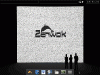
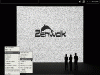
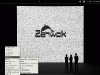
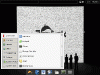
I like how the background designs for this release of Linux Mint KDE were outsourced to give the best possible choices to users of the distro. This really shows on the stunning default wallpaper which isn’t branded with the Linux Mint logo like previous releases. I like this and think the menu logo in the bottom left is enough. Note: You can add the ‘mint-wallpapers-extra’ package from the repositories for some special Linux Mint 9 wallpapers or ‘mint-wallpapers-previous-releases’ for some old school wallpapers.  Users will also find an improved icon set for the Update Manager and a nice welcome screen upon installing that offers up resources like links to Documentation, Support, Project, and Community.
Linux Mint 9 KDE Look and Feel

Backup Tool

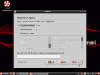
Another Mint tool completely re-written, the Backup Tool allows users to backup all of their data and software selection installed. The new Backup Tool is also designed to let users upgrade to new versions of Linux Mint while retaining personal data, customizations, and applications that have been installed on the version being upgraded.

Linux Mint 9 KDE Backup Tool

Network Manager

Instead of using the GNOME Network Manager as in previous releases of Linux Mint KDE, this release uses the KDE Network Manager which supports Wired Ethernet Devices, Wireless Ethernet Devices, Mobile Broadband Devices, Virtual Private Network (VPN), Dial-Up and DSL. I had no problems connecting via wired connection out-of-the-box.

Software Manager
With a completely new Software Manager under its belt, Linux Mint KDE software is managed much more efficiently. The revamped Software Manager is based on the old software manager, Gnome App-Install, and the new Ubuntu Software Center.  Users also have over 30,000 packages to choose from now which is a very significant improvement. You can’t use the Software Manager without realizing it’s completely different. You can navigate around around while packages are installing or even leave the software manager. You’ll also find user reviews and many other changes since the last release.
Linux Mint 9 KDE Software Manager

Applications
Along with many up-to-date applications, this release features many new applications too. Yakuake, dansguardian, htdig, Miro, Bleachbit and Acetoneiso all appear to be installed by default in the Linux Mint 9 KDE release.

How I Felt
As I stated in the introduction, I think Linux Mint is a top 3 distribution for desktop users. A beautiful interface, powerful tools for beginners, and a decent application selection set it apart from most other Linux distributions. Please comment on your favorite KDE distribution, I think I’ve found mine.

Buy Linux Mint CDs

Here are the screenshots:

Reviews, Screenshots ,

  1. Olga
    July 29th, 2010 at 10:00 | #1

    I recently started to look around beyond Ubuntu, to see what else is there. Well I did try a lot of distributions and the only thing I’m sure now is that I would like to have something with KDE, as it’s simply amazing. I’m still not sure which distribution. Currently my favorites are PC Linux OS, openSUSE and Mandriva. I didn’t try Mint yet so I will do that as soon as possible. Then we’ll see what i end up with.

  2. raff
    July 29th, 2010 at 11:21 | #2

    This looks really great. The screen shots are beautiful. Apart from Amarok, which is just awful. How long since they dropped the 1.4.x branch, and it still hasn’t caught back up with itself?

  3. Andrew
    July 29th, 2010 at 11:37 | #3

    @OlgaThanks for sharing your thoughts. Also try the live DVD Sabayon for an excellent ‘out-of-the-box’ KDE experience.

  4. KenP
    July 29th, 2010 at 16:44 | #4

    I want Linux Mint to release the next version simultaneously for all desktops. I am quite sure the KDE version will have more downloads. It is really good and better than the GNOME one.

    Unfortunately, due to its lag, it is not possible to verify this :(

  5. Andy
    July 29th, 2010 at 17:52 | #5

    Thanks for the review – I am using Mint 9 KDE right now and am enjoying it. Some of the best ‘fit and finish’ in a KDE4 distro that I’ve seen. Best Firefox integration in KDE that I’ve seen –> FINALLY the font-rendering throughout a KDE distro, including Firefox, looks good.

    Mint seems to run cool and quiet on my Toshiba laptop – quite a feat for this machine which is usually hot with ample fan noise, particularly in Ubuntu.

    Excellent work by the developers – this has replaced my former KDE favorite, PCLinuxOS.

  6. EP
    July 30th, 2010 at 07:38 | #6

    @KenP

    Really though, does it really matter which has more downloads? Linux is linux, mint is mint as far as I’m concerned. And Mint is a solid distribution.

  7. July 30th, 2010 at 20:13 | #7

    finally i just download and installed on my acer 4530, works great and full apps, but i cant install nvidia driver manually must be coonnected to internet.

  8. Dieter Spahn
    July 31st, 2010 at 05:49 | #8

    I think you missed one important thing about Linux Mint 9 KDE, which makes this distribution useless for me. Let me explain what I mean: Start OpenOffice, then select Tools > Options… Now select each entry under OpenOffice.org (Memory, View and so on) and look carefully at the contents. I’ve never seen such a lousy appearance in any application I’ve used so far under Linux. I must excuse the developers of Linux Mint because other distributions (OpenSuSE 11.3 for example) have the same problem under KDE. Before that visual mess isn’t fixed by the responsible people, I won’t use any KDE distribution.

  9. Serge Lussier
    July 31st, 2010 at 08:38 | #9

    @Dieter Spahn
    ‘lousy’ ?? ( ugly; messy; de-organized…) ??
    I din’t know how you were taken into this ‘lousy’. – Right after I read your comment I tried what you said: Launch OpenOffice (for instance SpreadSheet) then goto Tools->Options
    I browsed all the entries and what ‘s in the contents are very well organized, straightforward and good looking contents…

    Thus you have certainly missed something somewhere. Nothing to do with KDE nor any distros.

    btw: I am using Ubuntu 10.4 with default KDE distrib (KDE 4.4.2) and default OO.ORG 3.2.0

    I just want to say you are unlocked because I ‘ve found nothing messy’s visual you are talking about..

    …good luck friend.

  10. Serge Lussier
    July 31st, 2010 at 08:42 | #10

    @Serge Lussier
    oops: `I just want to say you are unlocked ` sorry – read `you have no luck’

  11. harrytuttle
    July 31st, 2010 at 12:17 | #11

    @Olga
    Try Netrunner (netrunner-os.com), which has a very tight Gnome integration as well.
    Perfect imho for Ubuntu Linux with KDE frontend.

  12. August 3rd, 2010 at 07:10 | #12

    @raff
    Try http://code.google.com/p/clementine-player for a nice fork of Amarok 1.4 for KDE 4.x.

  13. barakatax
    August 9th, 2010 at 01:15 | #13

    Linux Mint 9 KDE sound has problem on my HP DV3 2242 TX. The sound not working properly. Also when I try to connect my CE100 modem to internet through KPPP, it gives me error message and I can not connect. But it is working with wvdial.

    Back again to PCLinuxOS :)

  1. July 29th, 2010 at 08:49 | #1
Comments are closed.